Showing posts with label General Programs. Show all posts

Tuesday, May 19, 2020

EMDB v3.61 Portable

EMDB is a small utility to keep track of your DVD collection. With an automatic import from the database of IMDB, export to csv, text or complete website, thumbnail cover preview, a loan tracker, search function and multi-language user interface. EMDB is written in C++ using Microsoft Visual Studio 2008 and doesn't need a .NET framework or any other external libraries. And best of all... it's free!
EMDB is available in several languages: English, Dutch, Danish, German, Italian, Portuguese, Slovak, Spanish, Hungarian Croatian, Swedish, Greek, Catalan, Czech, Norwegian, Japanese, French, Finnish, Polish, Russian, Turkish, Chinese, Serbian and Slovenian translations are included in the setup.

Made With Turbo Studio

Size: 7.40 MB

Download from MirrorCreator.com

Tuesday, December 3, 2019

Beyond Compare v4.3.3 Build 24545 Portable

Beyond Compare is focused.  Beyond Compare allows you to quickly and easily compare your files and folders.  By using simple, powerful commands you can focus on the differences you're interested in and ignore those you're not.  You can then merge the changes, synchronize your files, and generate reports for your records.

Compare Files, Folders
You can compare entire drives and folders at high speed, checking just sizes and modified times.  Or, thoroughly verify every file with byte-by-byte comparisons.  FTP sites, cloud storage, and zip files are integrated seamlessly, and powerful filters allow you to limit what you see to only what you're interested in.
Once you've found specific files you're interested in, Beyond Compare can intelligently pick the best way to compare and display them.  Text files can be viewed and edited with syntax highlighting and comparison rules tweaked specifically for documents, source code, and HTML.  The text contents of Microsoft Word .doc and Adobe .pdf files can also be compared but not edited.  Data files, executables, binary data, and images all have dedicated viewers as well, so you always have a clear view of the changes.

3-way Merge Pro edition only
Beyond Compare's merge view allows you to combine changes from two versions of a file or folder into a single output.  Its intelligent approach allows you to quickly accept most changes while carefully examining conflicts.  Color coding and section highlighting allow you to accept, reject, or combine changes, simply and easily.  When merging files you can change any line in the output with the built-in syntax-highlighting editor.  By using Beyond Compare's powerful file type support and ability to favor changes from one file, you can trivially accept many changes without even seeing them.

You can use Beyond Compare directly from most version control systems, giving you all of the powerful comparing and merging support you need when you need it most.  Integrated source control commands are also available, allowing you to check in and check out files without interrupting your work.

Synchronize Folders
Beyond Compare's intuitive Folder Sync interface lets you reconcile differences in your data automatically.  You can efficiently update your laptop, backup your computer, or manage your website, and Beyond Compare will handle all the details.  You can copy to and from disks, FTP servers, and zip files, all using the same interface.  Anything you don't want affected can be easily filtered out, and all of the powerful comparison techniques are available, making the backup as fast or robust as you need.

You can automate repetitive tasks using a flexible scripting language, and any script can be called from the command line, allowing you to schedule your syncs for when it's most convenient.

Made With Turbo Studio

32Bit (Size: 16.8 MB)
Download from MirrorCreator.com

64Bit (Size: 19.4 MB)
Download from MirrorCreator.com

Wednesday, November 20, 2019

FastStone Capture v9.3 Portable

FastStone Capture is a powerful, lightweight, yet full-featured screen capture tool that allows you to easily capture and annotate anything on the screen including windows, objects, menus, full screen, rectangular/freehand regions and even scrolling windows/web pages. You can choose to send captures to editor, file, clipboard, printer, email, Word/PowerPoint document or upload them to your website. Editing tools include annotating (texts, arrowed lines, highlights), resizing, cropping, sharpening, watermarking, applying edge effects and many more. It also allows you to record screen activities and sound into highly compressed video files. Other features include global hotkeys, automatic filename generation, support for external editors, a color picker, a screen magnifier and a screen ruler. FastStone Capture saves files in BMP, GIF, JPEG, PCX, PNG, TGA, TIFF and PDF formats.
Features
- A small handy Capture Panel that provides quick access to its capture tools and output options
- Global hotkeys to activate screen capturing instantly
- Capture windows, objects, menus, full screen, rectangular/freehand regions and scrolling windows/web pages
- Capture multiple windows and objects including multi-level menus
- Options to specify output destination (internal editor, clipboard, file, printer ...)
- Draw annotation objects such as texts, arrowed lines, highlights, watermarks, rectangles and circles
- Apply effects such as drop-shadow, frame, torn-edge and fade-edge
- Add image caption
- Resize, crop, rotate, sharpen, brighten, adjust colors ...
- Undo/Redo
- Support external editors
- Save in BMP, GIF, JPEG, PCX, PNG, TGA, TIFF and PDF formats
- Send captured images by email
- Send captured images to Word and PowerPoint documents
- Send captured images to a Web (FTP) server
- Record screen activities and sound into video files
- Screen Color Picker
- Screen Magnifier
- Screen Ruler
- Support multiple monitors
- Run when Windows starts (optional)
- Minimize to System Tray area
- Small footprint in memory
- And many more...

Made With Turbo Studio

Size: 8 MB

Download from MirrorCreator.com

Tuesday, October 29, 2019

Notepad++ v7.8.1 Portable

Notepad++ is a free (as in "free speech" and also as in "free beer") source code editor and Notepad replacement that supports several languages. Running in the MS Windows environment, its use is governed by GPL License.

Based on the powerful editing component Scintilla, Notepad++ is written in C++ and uses pure Win32 API and STL which ensures a higher execution speed and smaller program size. By optimizing as many routines as possible without losing user friendliness, Notepad++ is trying to reduce the world carbon dioxide emissions. When using less CPU power, the PC can throttle down and reduce power consumption, resulting in a greener environment.
Features
    Syntax Highlighting and Syntax Folding
    User Defined Syntax Highlighting and Folding: screenshot 1, screenshot 2, screenshot 3 and screenshot 4
    PCRE (Perl Compatible Regular Expression) Search/Replace
    GUI entirely customizable: minimalist, tab with close button, multi-line tab, vertical tab and vertical document list
    Document Map
    Auto-completion: Word completion, Function completion and  Function parameters hint
    Multi-Document (Tab interface)
    Multi-View
    WYSIWYG (Printing)
    Zoom in and zoom out
    Multi-Language environment supported
    Bookmark
    Macro recording and playback
    Launch with different arguments

Made With Turbo Studio

32Bit (Size: 6.96 MB)
Download from MirrorCreator.com

64Bit (Size: 7.36 MB)
Download from MirrorCreator.com

Tuesday, July 30, 2019

NTWind WinSnap v5.1.3 Portable

WinSnap is a small enhancement utility for taking and editing screenshots. Standard features include easy capture of non-rectangular windows with customized and transparent backgrounds, simple and automatic canvas transformations, coloring effects, and the addition of eye-candy drop shadows. WinSnap supports a variety of image formats and has advanced auto-save features.

Here are some key features of "WinSnap":
· Flexible screen capture capabilities
· Smoothing shadow effect in Photoshop style
· Powerful image processing and basic canvas transformations
· Support of various image formats and advanced auto-save options
· Easy Web publishing and E-Mail sending
· Multilingual user interface (Unicode based)
· Easy makes screenshots of windows with rounded corners
· WinSnap saves info about window form and adds real smoothing shadows.
· Alpha-Channel and PNG/TIFF transparency are supported.
· Unique "Application" capture mode allows you to capture all visible windows of the foreground application with one click.
· Unique "Multi-Object" capture mode allows you to select multiple windows on the screen and easy combine them into one screenshot.
· Basic coloring effects and canvas transformations.
· Advanced auto-save and auto-copy options.
· Configurable External Tools menu to open image editors and optimizers.
· Usual keyboard and mouse control (Print Screen replacement).
· Make all this work with one 100-kb application - smaller than Paint!

Made With Turbo Studio

32Bit (Size: 5.30 MB)
Download from MirrorCreator.com

64Bit (Size: 5.61 MB)
Download from MirrorCreator.com

Thursday, May 2, 2019

Hypersnap v8.16.13 Portable

 What is HyperSnap™?
HyperSnap is the fastest and easiest way to take screen captures from Windows screen and full screen games, and text capture (TextSnap™) from places where normal text copy is not possible. HyperSnap combines the power of a first-class screen capture application with an advanced image editing utility - wrapped into one easy-to-use tool!

Top Features
    Image captures from any where on the screen or multiple monitors, in any shape or size.
    New & powerful image capture, editing, annotation and  manipulation tools. Objects drawn over images can now be selected, edited, shown and hidden, moved, deleted any time. A new native file format saves the objects drawn for further editing later, or save a standard image and have the object "imprinted" permanently on them.
    Unlimited undo/redo.
    NOTE: TextSnap is no longer supported for new programs using accelerated graphics or running under Windows 8.
    TextSnap™ feature to capture editable text from almost anywhere on the screen. Can also capture tab-delimited data for easy paste into MS Excel.
    Capture dropdown menus and lists with hotkey feature or delayed capture.
    Image stamps, frames, drop shadow, free-hand capture, FTP server uploads, more.
    Automatic color substitution.
    Non-rectangular window capture.
    Button Capture  - perfect for professional technical writers who need to snap and document dozens of buttons!
    Auto-scrolls and concurrently captures long web pages and other. documents, enabling it to grab more than is visible on the screen.
    Tightly integrates with the MS Windows clipboard to automate repetitive tasks - will even automatically PASTE capture images where needed!
    Automatically saves your captures to graphics files.
    Doubles as effective image viewer, format converter (over 20 image formats supported).
    Fully customizable user interface. Rearrange menus and toolbars any way you want, assign any keyboard shortcuts you like, tear off menus to create instant toolbars, even control HyperSnap with voice commands!

    Extended Window Capture function resizes a window to be much bigger than the screen before the capture - in one quick step, no auto-scrolling.

Made With Turbo Studio

32Bit (Size: 12.9 MB)
Download from MirrorCreator.com

64Bit (Size: 17.1 MB)
Download from MirrorCreator.com

Saturday, September 29, 2018

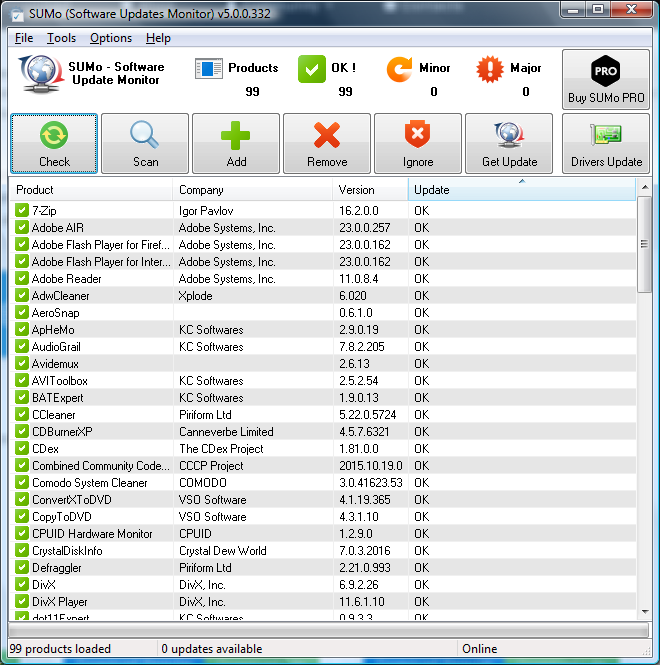
SUMo v5.8.1.403 Portable

 Summary
SUMo, which stands for Software Update Monitor. Thanks to SUMo you'll be able to keep your PC up-to-date by using the most recent version of your favorite software ! Unlike build-in auto update features, SUMo tells you if updates are available before you need to use your software.

Features
    * Automatic detection of installed software
    * Detects required updates / patchs for your software
    * Filter / authorize Beta versions (user setting)
    * Ignore list : only tracks software YOU want to track
    * More compatibility and less false positive than others Update Monitors (according to users feedback ;-)
    * Internationalization support.

Made With Turbo Studio

Size: 4.96 MB

Download from MirrorCreator.com

Friday, September 28, 2018

GoodSync Enterprise v10.9.10.5 Portable

Take the Hassle Out of File Backup & Synchronization!
Our easy-to-use software automatically backs up and syncs your files between any computer, mobile device or drive; with or without using the cloud. All this with no monthly fees!

File Sync
GoodSync syncs files between your computer, mobile devices, FTP, SFTP, Amazon S3, Google Drive, SkyDrive, WebDAV, Azure.

Backup Files
GoodSync backs up files to portable drives, mobile devices and to FTP, S3, GDocs, SkyDrive, DAV or another computer.
Direct P2P Sync
GoodSync Connect syncs files directly between your computers, without slowness introduced by syncing via 3rd party servers.

Speed and Real-Time Sync
GoodSync is very fast and syncs files on your command, periodically, by a schedule or in real time (on file change).

Made With Turbo Studio

32Bit (Size: 60.6 MB)
Download from MirrorCreator.com

64Bit (Size: 30.9 MB)
Download from MirrorCreator.com

Foxit Reader v9.3.0.10826 Portable

Foxit Reader — Award-winning PDF Reader
    View, create, convert, annotate and print
    Collaborate and share
    Fill Forms
    Sign

Reader Features
Integrate Box and Alfresco
Open and save PDF files in Box and Alfresco.

Foxit Archive Integration
Check in and out PDFs in Foxit Archive for easier document collaboration.
ConnectedPDF Permission Control
Allow ConnectedPDF document owners to allow or disallow other users to start Connected Reviews or create new versions.

ConnectedPDF - Get control of your content

Create a ConnectedPDF document
Converts existing PDFs to ConnectedPDF documents with one step. You can also automatically convert any PDF document you work with to a Connected PDF.

Manage versions of a ConnectedPDF document
Changed or updated PDF documents can be recorded on the ConnectedPDF server by registering new versions, with all new versions tracked. You can also optionally upload the new version to the server.

Request a file
Document users (including both the owner and viewers) can send a request to other users to get files they need or they accidentally deleted, including other versions of a file.

View, Print, and Fill
Enjoy Our Intuitive User Interface
Microsoft Office Style Ribbon Toolbar provides a familiar user interface, enabling users to quickly learn.

Customize Your Toolbar
Allows users to create new tabs or customize current tabs. User can define which buttons should be located in which tab, or create a new tab with their favorite buttons.

Support Touch Screen
Touch Mode makes Reader easier to use on Windows touch-screen devices.

Set Up Your Own Portfolios
View, print, and search for text in PDF portfolios.

Fill Forms
Allows users to leverage exiting forms and workflow with standard PDF (Acroforms) and XFA (XML Form Architecture) form filling.

Import/Export Data
Supports industry standards to import form data from a file, export form data to a file, and export form data and send from email.

Ultraform 2D Barcode Enabled
Enables 2D barcode generation from Ultraforms® enabled fillable PDF forms.

PDF Create
Create Industry-standard PDFs
Create standard compliant PDFs that are compatible with other PDF products.

Create PDFs From Microsoft® Office®
Create PDFs with integrated fully functional Word®, PowerPoint®, and Excel® add-ins.

Scan Documents Into PDFs
Streamline workflow by converting paper contracts, agreements, and other documents to electronic PDF files; scan and convert in one step.

Insert Images, Videos, And Files
Embed images and videos in your PDF and make it more interactive. Easily add a file as an attachment to your document.

Collaborate and Share
Integrate OneDrive, Google Drive, Dropbox, Box, and Alfresco
Open and save PDF files in OneDrive, Google Drive, Dropbox, Box, and Alfresco.

SharePoint® Integration
Seamlessly check in and check out PDF files on SharePoint servers.

Foxit Archive Integration
Check in and out PDFs in Foxit Archive for easier document collaboration.

Shared Review
Participate in a Shared Review initiated by Foxit PhantomPDF Business.

Commenting Tools
Provide feedback to documents through annotation and text markup tools. Make feedback more effective with boxes, circles, arrows, and more drawing tools.

Manage Comments
Quickly view all the comments in the document. Import, export, and send comments as a FDF file via email.

Share PDFs
Easily share PDF documents through email or Evernote®.

Create And Manage Stamps
Indicate the status of PDF document or hint the reviewer where to sign. Select from a group of pre-made stamps or create your own.

Protect
Integrate Microsoft® RMS
Allows users to decrypt and encrypt Microsoft Active Directory® or Azure Rights Management Services protected PDF files through the optional Foxit RMS Plug-in.

Sign PDF Documents
Sign documents in your own handwriting. Or, send, sign and save PDF documents using the industry's most widely used eSignature solution.

Add/Verify Digital Signature
Add digital signatures and timestamps to documents and allow the PDF document receiver to validate the status of a digital signature to determine if the document has been modified since the signature was applied.

Trust Manager (Safe Mode)
Allows users to select a safe mode operation, which prevents suspicious external commands to be executed by Foxit Reader.

Support ASLR & DEP
Uses a random algorithm to determine a memory address used to store key file data. Prevents executing code from a non-executable memory location.

Disable JavaScript
Option for turning off JavaScript entirely for maximum protection.

Security Warning Dialog
Warns users if a PDF document attempts to call or run an external command and provides a choice to run or terminate executing any files within a PDF file.

Customize and Deploy

Support Group Policy
Helps IT professionals take greater control of enterprise-wide deployments to ensure the standardization of menu and configuration settings. User Manual

SCUP Catalog
Provides a SCUP catalog to import and deploy updates through Microsoft Windows Update Services or SCCM.

XML Configuration
Customize mass deployments through XML configuration support.

Made With Turbo Studio

Size: 83.7 MB

Download from MirrorCreator.com

Monday, September 10, 2018

MD5 Checksum Verifier v5.9 Portable

MD5 Checksum Verifier is files integrity checker based on the time proven MD5 algorithms. With it you can easily create checksums of files and verify their integrity in the future. The operation is very easy, just two steps, make check file and verify check file. MD5 is a way to verify data integrity, and is much more reliable than checksum and many other commonly used methods.
Made With Turbo Studio

Size: 3.01 MB

Download from MirrorCreator.com

Wednesday, August 15, 2018

VirtualBox v5.2.18 Portable

VirtualBox is a powerful x86 virtualization product for enterprise as well as home use. Not only is VirtualBox an extremely feature rich, high performance product for enterprise customers, it is also the only professional solution that is freely available as Open Source Software under the terms of the GNU General Public License (GPL). See "About VirtualBox" for an introduction.

Presently, VirtualBox runs on Windows, Linux, Macintosh and OpenSolaris hosts and supports a large number of guest operating systems including but not limited to Windows (NT 4.0, 2000, XP, Server 2003, Vista, Windows 7), DOS/Windows 3.x, Linux (2.4 and 2.6), Solaris and OpenSolaris, and OpenBSD.
VirtualBox is being actively developed with frequent releases and has an ever growing list of features, supported guest operating systems and platforms it runs on. VirtualBox is a community effort backed by a dedicated company: everyone is encouraged to contribute while Sun ensures the product always meets professional quality criteria.

Some of the features of VirtualBox are:
• Modularity. VirtualBox has an extremely modular design with well-defined internal programming interfaces and a client/server design. This makes it easy to control it from several interfaces at once: for example, you can start a virtual machine in a typical virtual machine GUI and then control that machine from the command line, or possibly remotely. VirtualBox also comes with a full Software Development Kit: even though it is Open Source Software, you don't have to hack the source to write a new interface for VirtualBox.
• Virtual machine descriptions in XML. The configuration settings of virtual machines are stored entirely in XML and are independent of the local machines. Virtual machine definitions can therefore easily be ported to other computers.
• Guest Additions for Windows and Linux. VirtualBox has special software that can be installed inside Windows and Linux virtual machines to improve performance and make integration much more seamless. Among the features provided by these Guest Additions are mouse pointer integration and arbitrary screen solutions (e.g. by resizing the guest window).
• Shared folders. Like many other virtualization solutions, for easy data exchange between hosts and guests, VirtualBox allows for declaring certain host directories as "shared folders", which can then be accessed from within virtual machines.

This portable created by VBOX tool thanks to them

32Bit (Size: 84.8 MB)
Download from MirrorCreator.com

64Bit (Size: 91.6 MB)
Download from MirrorCreator.com

Wednesday, August 1, 2018

SQLite Expert Professional v5.3.0.330 Portable

SQLite Expert is a powerful tool designed to simplify the development of SQLite3 databases. It is a feature rich administration and development tool for SQLite designed to answer the needs of all users from writing simple SQL queries to developing complex databases.

The graphical interface supports all SQLite features. It includes a visual query builder, an SQL editor with syntax highlighting and code completion, visual table and view designers and powerful import and export capabilities.
Visual SQL Query Builder
    Build complex SQL queries with ease.
    Formatted SQL query text layout.
    Powerful means of SQL query parsing and analysis.
    Advanced SQL editor with syntax highlighting and code completion.

Powerful restructure capabilities
    Visual editors for table columns, indexes, foreign keys, triggers, unique and check constraints.
    Restructure any complex table without losing data.
    Any restructure operation is wrapped in a nested transaction which is rolled back if any errors occur when applying changes.

Import and Export data
    Import data from ADO data source, CSV files, SQL script or SQLite.
    Export data to CSV files, SQL script, Excel or SQLite.
    Copy tables between SQLite databases using drag and drop operations.
    Export data to Excel via clipboard.

Data editing
    Edit data in the grid using powerful in-place editors.
    Image editor currently supporting JPEG, PNG, BMP, GIF and ICO image formats.
    Visualize and modify BLOB fields using the integrated Hex editor.

Other features
    Full Unicode support.
    Support for attached databases.
    Supports SQLite extensions and third-party SQLite libraries.
    Lua and Pascal scripting support.

Made With Turbo Studio

32Bit (Size: 47 MB)
Download from MirrorCreator.com

64Bit (Size: 50.2 MB)
Download from MirrorCreator.com

Tuesday, June 26, 2018

Ashampoo Snap v10.0.7 Portable

Capture and edit any screen content
There's no easier way to create screenshots and videos than using Ashampoo Snap 10. Capture and edit anything you see on your screen.

Flexibility and precision for your captures
Use pixel precision with your captures. Entire screen, single web sites or individual sections - turn them into images or videos with Snap. Work with timers, auto-scroll through websites or use smart text recognition, the possibilities are endless. A single click or key stroke is all it takes for Snap 10 to spring into action!
All the information you need in a single image
Snap 10 makes it easy to share relevant information with others quickly. Use arrows, graphics, automatic numbering and many more options to turn your images into self-explanatory masterpieces. Save time and effort and do away with cumbersome descriptions! Show, don't tell - fast, easy and to the point.

Create your own real-time videos
Edit your videos live and add texts, drawings or voice narration. Post-processing is now optional! Visualize mouse clicks and key strokes live in your videos - perfect for tutorials. N Don't forget to use the new video watermarking to protect your IP.

Works with any display
When working in a multi-display environment, you may be faced with a dozen different screen resolutions and DPI settings. Snap automatically adapts to your display settings for perfect results on any display!

Perfect for web content
Not only can Snap 10 capture Internet images but it can also include information on the source page either graphically as part of the image or through metadata. Snap keeps things organized. And if you need to share the image, Snap can add the corresponding link automatically, if needed. Would you like to capture entire web sites, text elements only or capture multiple windows at once? Ashampoo Snap 10 makes it possible!

Video editing for the perfect movie
Even already good videos can do with a little polishing: cut out unneeded scenes, remove ads or split up your videos into individual episodes. With Ashampoo Snap 10, you don't require any additional software! The ingeniously easy editor helps you keep only the most important parts and highlights from your videos. Then, simply append another video or export your most precious moments as GIF animations!

Safely send or upload to the cloud
Would you like to access your images from anywhere? Ashampoo Snap 10 has got you covered: send images via email, save them to Ashampoo Webspace or upload them to all common clouds services (DropBox, Microsoft OneDrive, Google Drive). If needed, your images can be optimized in size before emailing or uploading them. 

Made With Turbo Studio

Size: 64.8 MB

Download from MirrorCreator.com

Monday, June 11, 2018

Resource Tuner v2.20 Portable

Resource Tuner lets anyone view, edit, extract, and replace strings, bitmaps, logos and icons... All that make up the visual part of your Windows program.

In fact, it allows you to view and edit almost any aspect of a compiled Windows program, from the menus to the dialog boxes to the icons and beyond. Resource Tuner offers exciting possibilities even if you aren't a programmer. It's perfect for translators, tweakers, and anyone else who wants a different look and feel for an application.
With Resource Tuner You Can
    Have a fast Resource Viewer to browse resources of all types
    Rebrand your applications by replacing icons and logos
    Customize GUI elements of your favorite Windows programs
    Translate third-party applications
    Scan the directories and drives on your computer for hidden resources
    Extract images, icons, sounds, animations
    Make legacy applications use the new look of Windows XP, Vista, 7 and 8
    Tell Windows to run your application with administrative privileges
    Open UPX-compressed files seamlessly in Resource Editor, without long workarounds

Discover the unique features of this Resource Editor, including how to open problem executable files and edit the hidden data which the other editors simply cannot see, wide range of resource types, UPX unpacker, and more. You will learn the industry standard program for translating and customizing the user interface. 

Made With Turbo Studio

Size: 7.06 MB

Download from MirrorCreator.com